
Run Oversight Across
Every Client Organization.
One read-only portfolio over every client organization’s Level 1 self-assessment. See who is ready, who is slipping, and which reaffirmation deadlines are coming due, so no organization’s status quietly lapses on your watch.
Your Whole Book, on One Screen.
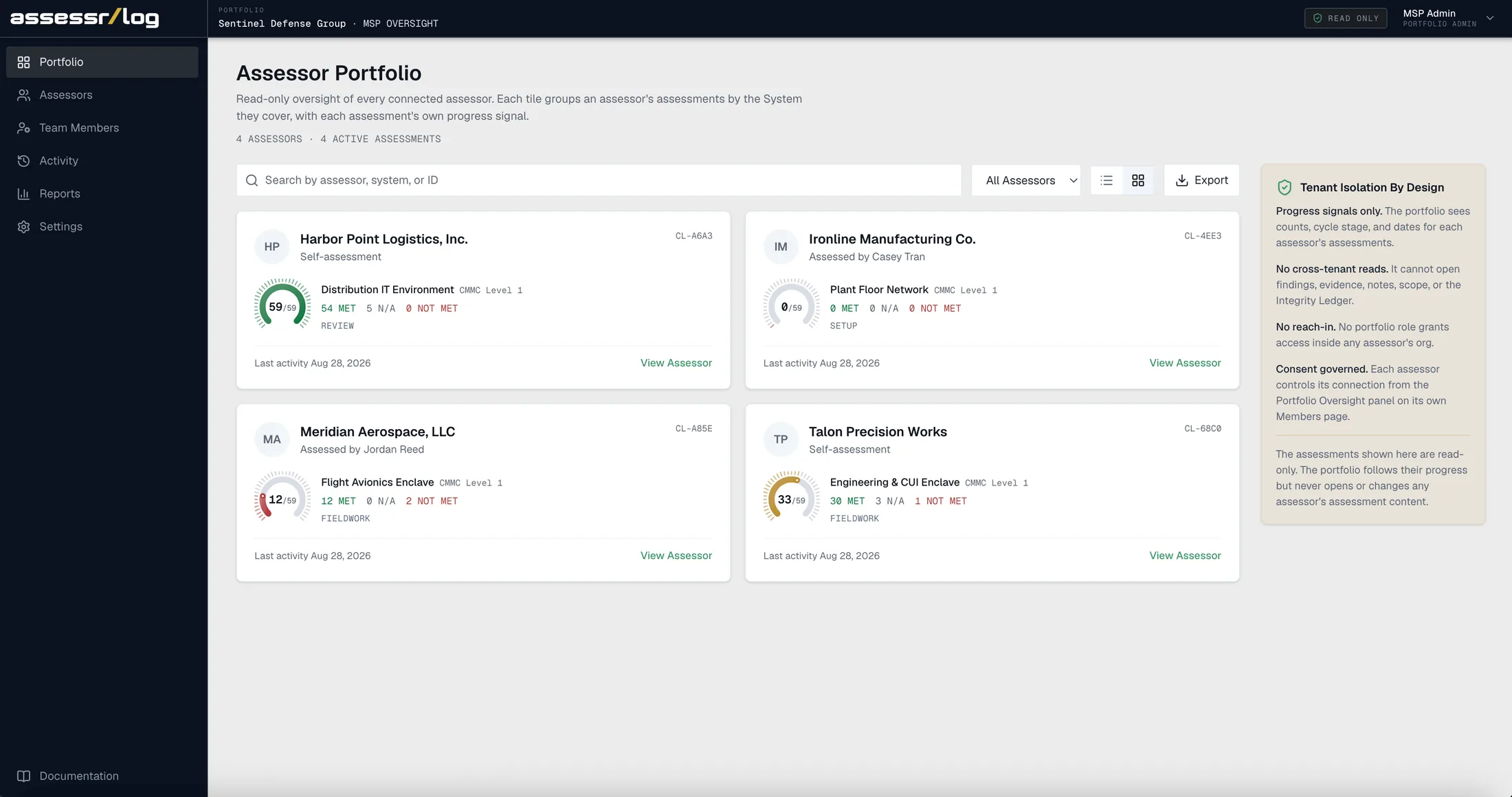
Every client organization is one card, with its own Resolved count, cycle stage, and last activity. See who is on track, who has stalled, and whose reaffirmation is coming due, without opening a single organization.
Fig. 01 · Client Portfolio · Read-Only Oversight
The Portfolio Watches the Numbers. Not the Work.
Each client organization exposes only computed progress. Everything behind that number stays inside its isolation boundary, and no Federal Contract Information ever crosses into the portfolio.
A structural boundary, not a display setting. The counts are computed inside the organization, and the portfolio only reads the result.
Resolved
41/59
- Readiness counts and the Resolved figure
- Cycle stage and how many objectives are assessed
- Assessment, affirmation, and last-activity dates
- The owner's name and your assigned reviewers
- Evidence and file names
- Findings and determinations
- The reasons and narratives behind them
- Notes and FCI scope
- Integrity Ledger entries
- The full member list
Every Connection Is Consented.
You bring an organization in by provisioning a new one or requesting to connect an existing one, and its own Admin decides the terms. Two portfolio roles, Admin and Executive, run the portfolio, and neither grants any access inside an organization.
Send a request to an organization that already runs its own assessment. It approves, and can only downgrade the scope you propose, never widen it.
Organization Admin Email
Proposed Grant Scope
Progress Signals Only
The portfolio sees progress signals and nothing else. Staffing stays with the organization.
Progress Signals and Staffing
The same visibility, plus placing your team members into the organization as named members.
Harbor Point Co.
Self-Assessment
Distribution IT Environment
Ironline Metals
Reviewed by Casey Tran
Plant Floor Network
Meridian Aerospace
Reviewed by Jordan Reed
Flight Avionics Enclave
Talon Precision
Self-Assessment
Engineering Enclave
No hidden access path. Every reviewer you place shows on the organization’s own Members page.
Six Surfaces, One Vantage Point.
The portfolio is more than the board. It is where you connect a client organization, staff a reviewer, read the audit trail of your own oversight, and export it for leadership. Every surface reads signals and never the work.
Run Your Own Level 1
A firm that handles FCI usually needs its own self-assessment. It runs in the very same place, as a normal isolated organization.
The Portfolio Never Affirms
It never acts in SPRS. Each organization’s own Affirming Official affirms annually. That step stays with your official.
- OverviewID · 01
Portfolio
Read-only oversight of every connected organization. One card per assessment with its own Resolved gauge, cycle stage, and last activity.
01 / 06 - ConnectID · 02
Clients
Provision a new client organization or connect an existing one. Manage each connection, its grant scope, and its status.
02 / 06 - MembersID · 03
Team Members
Invite your people once, then assign them where oversight needs them. Two portfolio roles, Admin and Executive.
03 / 06 - MonitorID · 04
Activity
The portfolio's own audit trail. Every connection, approval, scope change, staffing move, and export, newest first.
04 / 06 - ExportID · 05
Reports
Export the whole table as a CSV for leadership. One row per assessment, counts never combined.
05 / 06 - ControlsID · 06
Settings
Your portfolio's display name, the disconnect controls, and the prompt to run your firm's own Level 1.
06 / 06