Define
01
FCI Scope
Record every person, system, facility, and provider inside the FCI boundary.
4 Scope Object Types

The Command Center is the first screen you see when you sign in. Every logged decision updates this one picture of the assessment. Come back after a week or a month and pick up exactly where you left off. No hunting through folders.
Objectives
51 Met, 5 N/A, 3 In Progress
Status requires Met on all 15. No numeric score at Level 1.
Most Level 1 trouble is not a missing control. It is an unclear boundary. AssessrLog maps where your FCI actually lives, in plain categories, before you assess a single objective, so the scope holds up from the start.
Follow the FCI, Not the Org Chart.
Log every person, device, facility, and outside provider that touches FCI, classified the way 32 CFR 170.19(b) requires.
Find Where FCI Hides.
A ten-question coverage check walks the spots that trip most assessments. Email, cloud storage, personal phones, the file room, your outside IT provider.
Draw the Boundary an Assessor Trusts.
Your entries become an FCI data-flow diagram, generated from your own scope, not a hand-drawn guess.
Where FCI lives and how it moves, drawn from your scope objects and their connections.
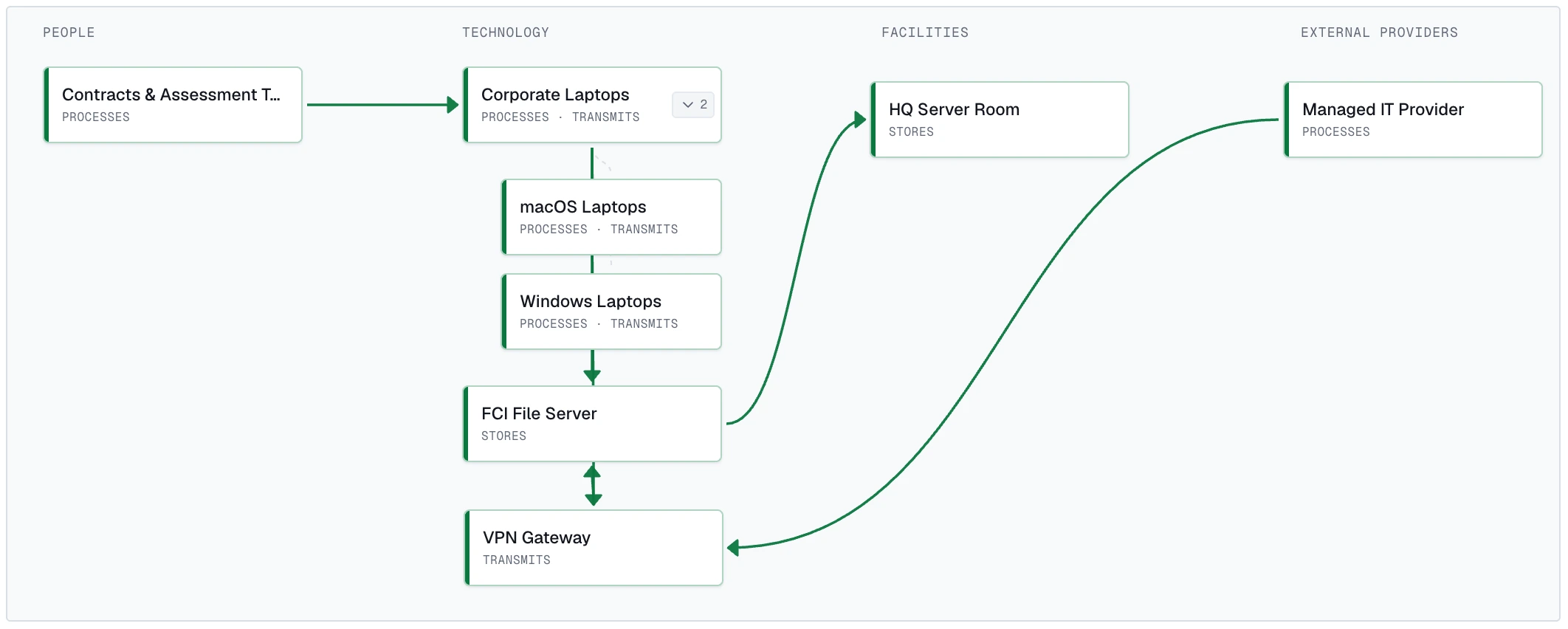
Under-scoping is the number-one reason Level 1 self-assessments fail. Confirm every place FCI could live is in scope or documented as not applicable.
Is FCI ever sent, received, or discussed over email?
If FCI moves through email, the mail system is in scope. This is the classic boundary-blower.
Do you store or share FCI in cloud storage (SharePoint, OneDrive, Google Drive, Dropbox)?
Cloud storage that holds or shares FCI is in scope, including the provider that runs it.
Each requirement breaks into its objectives in plain English, the NIST SP 800-171A guidance beside each one. The workbench holds the whole job. Examine, attach your evidence, decide Met, Not Met, or N/A, and seal it, without ever leaving the objective you are working.
Source · NIST SP 800-171A · 32 CFR § 170.24 · 32 CFR § 170.21(a)(1)
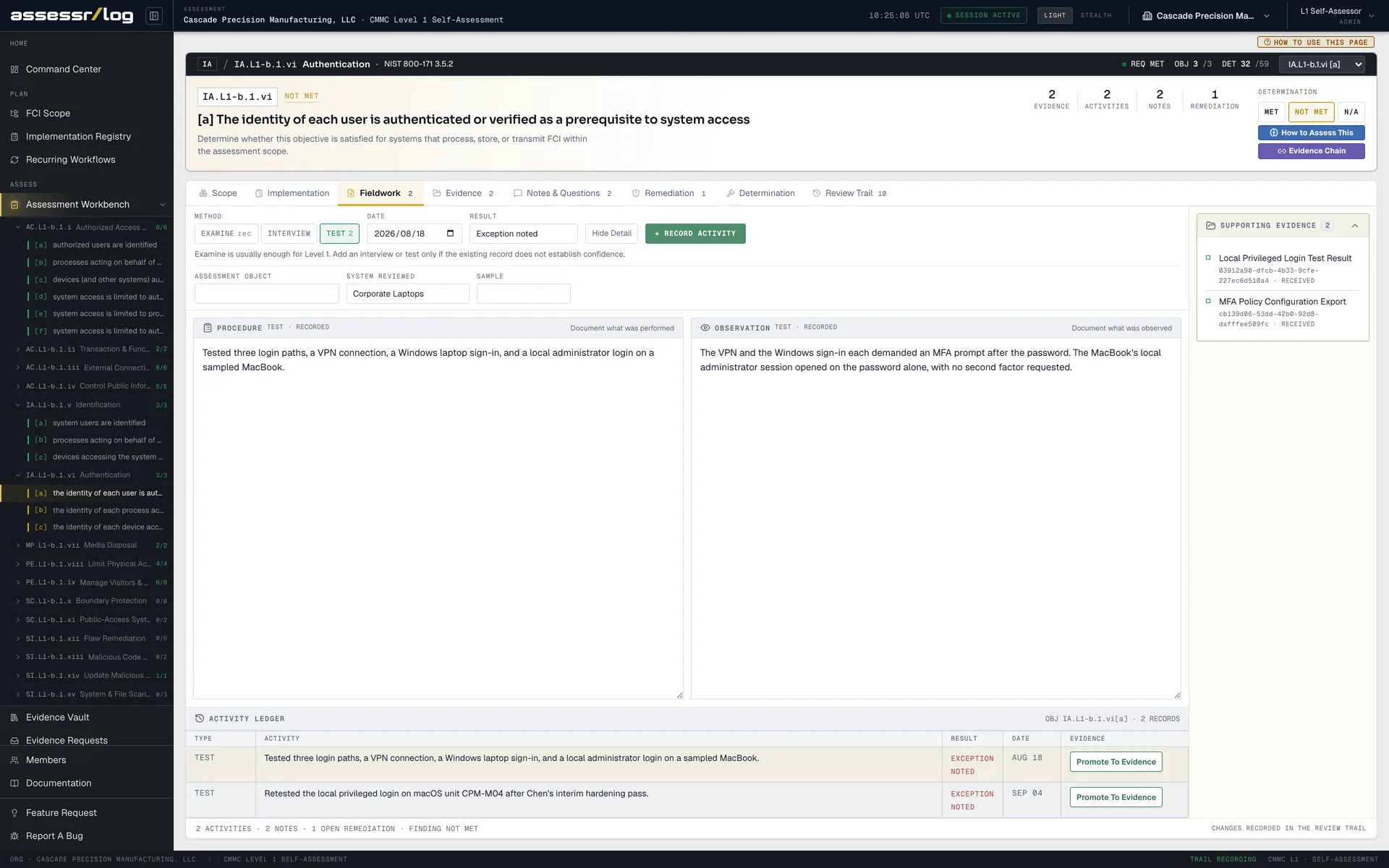
Open any objective and everything it needs is on one screen. The guidance, your fieldwork, the evidence, your notes, the fix, the decision, and the sealed history.
No more chasing a single requirement across five spreadsheets and a shared drive.
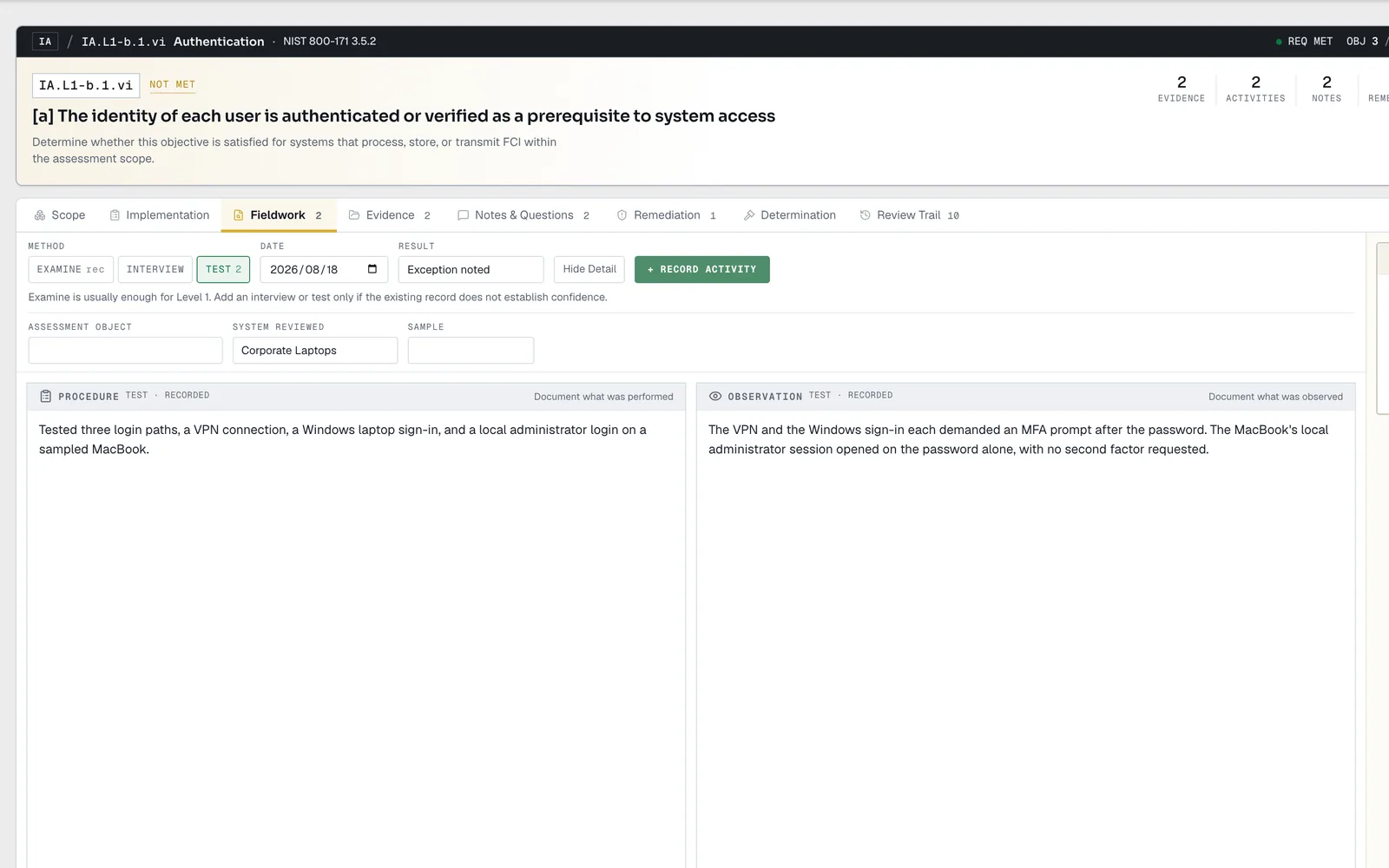
Log what you examined, who you interviewed, and what you tested, with the procedure and what you observed recorded side by side.
An assessor's first question is how do you know. This is the answer, written as you work.
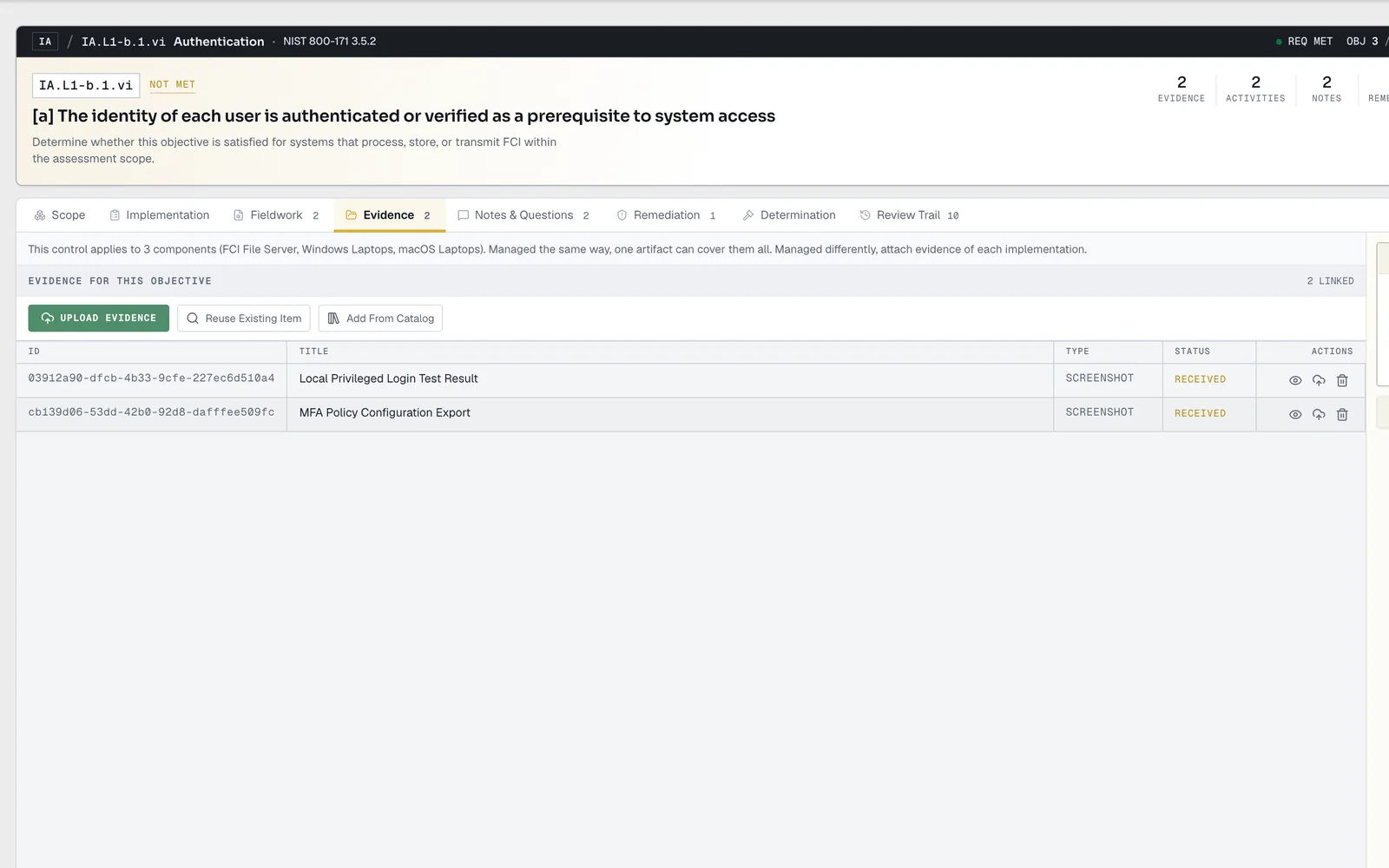
Link the artifacts that back the objective without leaving it. Upload new, reuse what you already have, or pull from the catalog. Every file is versioned and content-hashed.
Your evidence stops living in inboxes and starts backing the exact decision it supports.
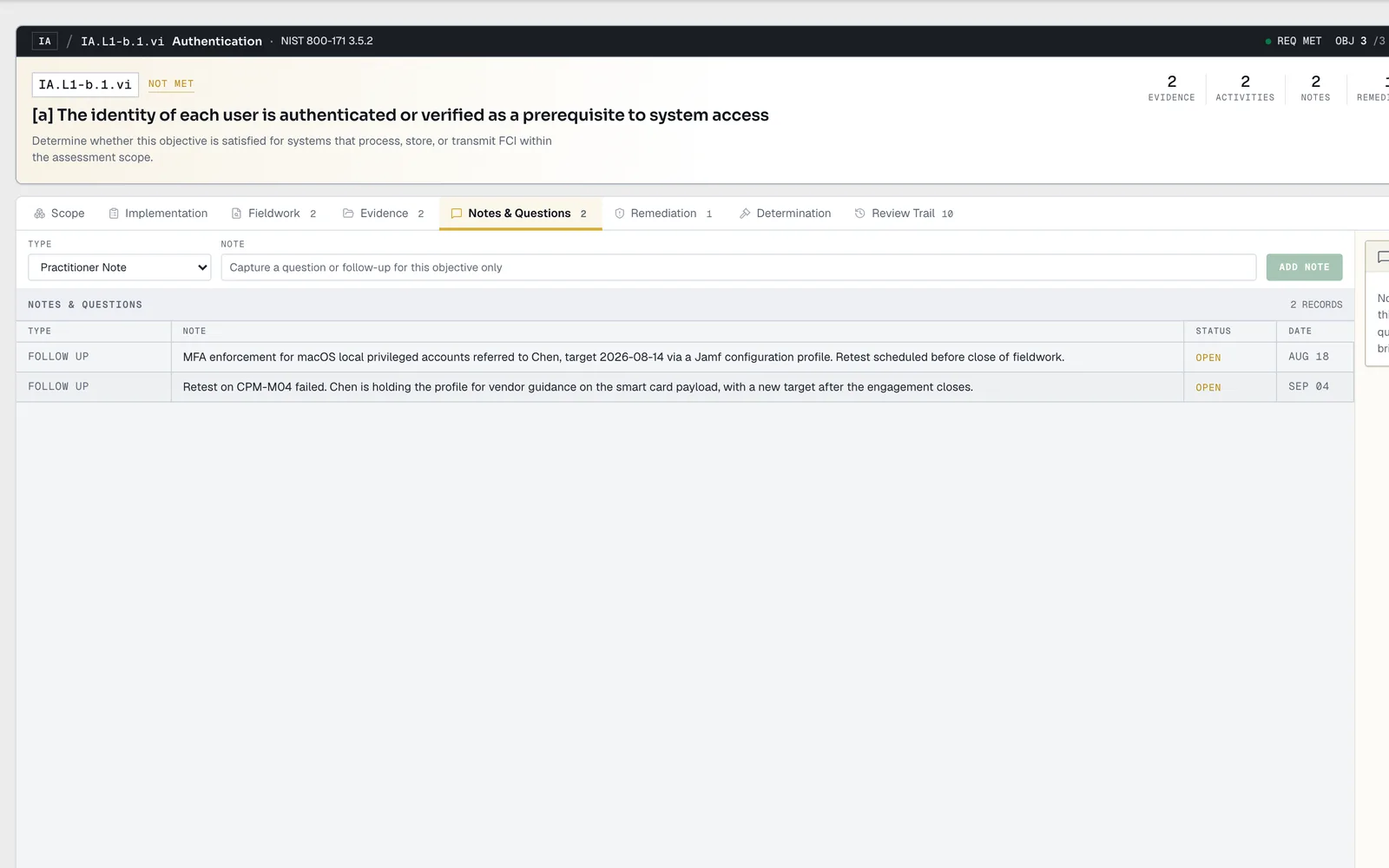
Catch the open question, the missing document, or the contradiction the moment you notice it, pinned to the objective it belongs to. Close each one out as you resolve it.
The thing you would have forgotten by next week is tracked to closure.
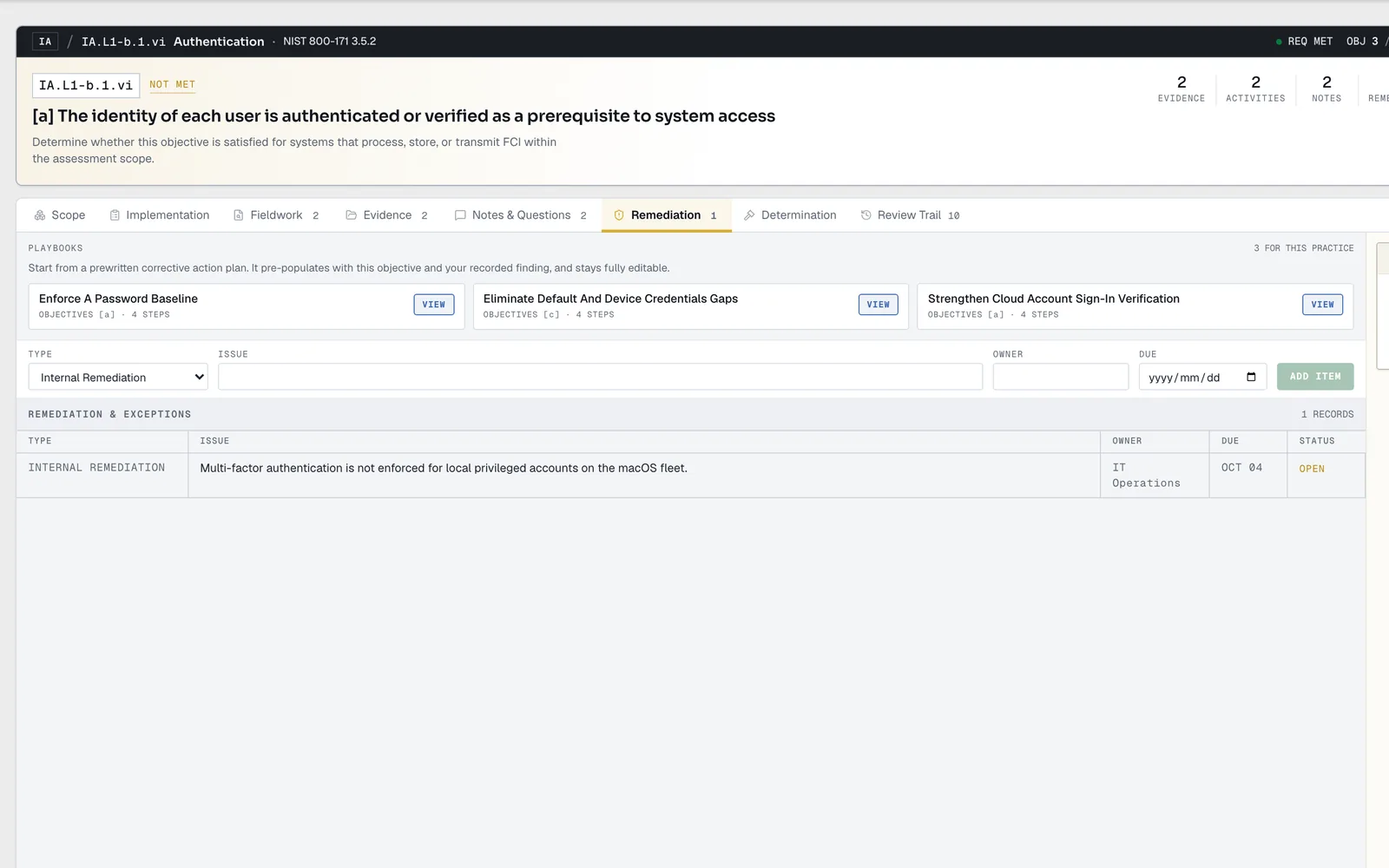
When an objective is not yet met, start from a corrective-action playbook, build the plan, generate its PDF, and track each item to closure.
Not Met is not a dead end. It is a plan with an owner and a due date.
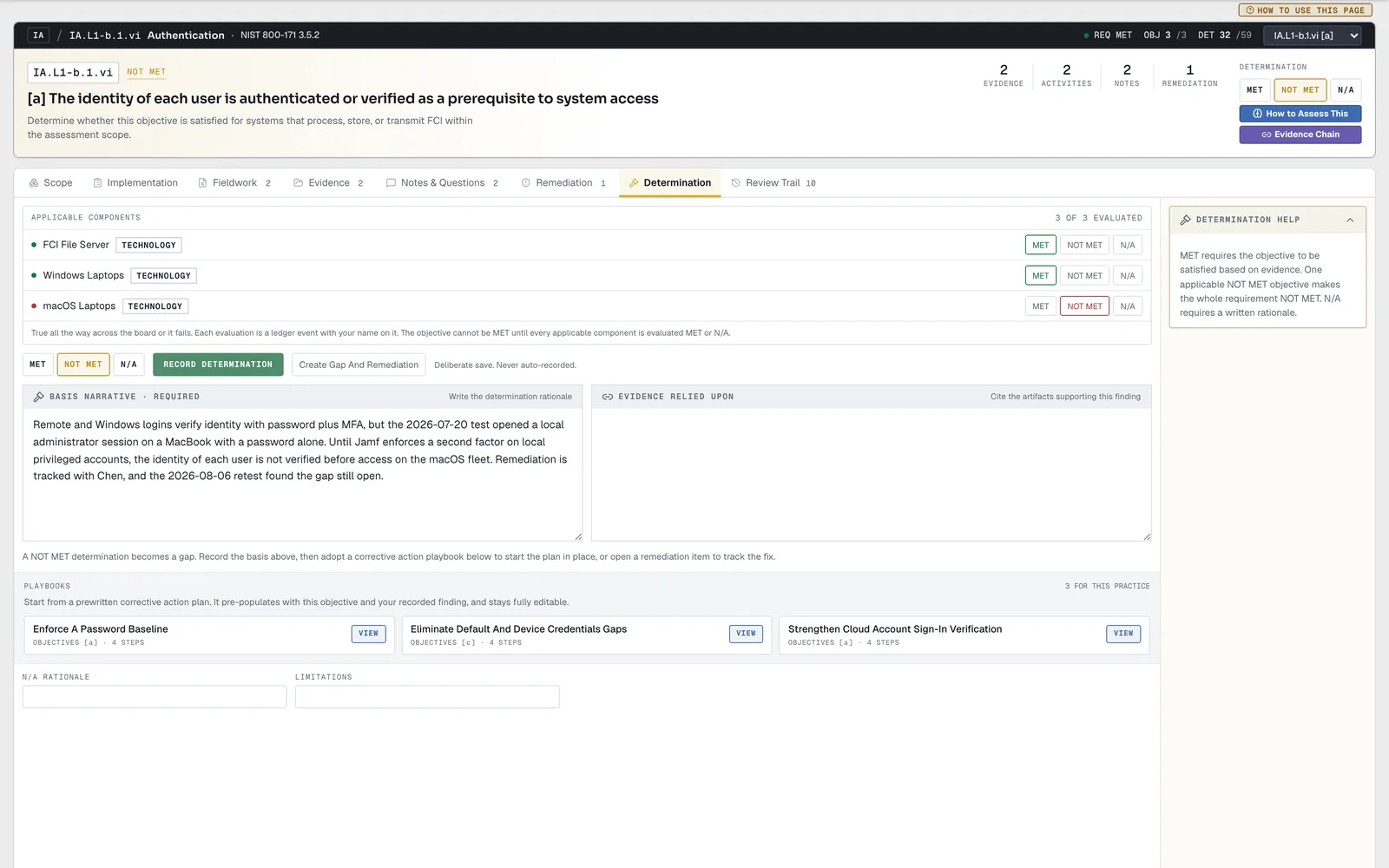
Record Met, Not Met, or N/A as a deliberate click, never an auto-fill. The workbench enforces the rule each one requires and flags a Met that has no basis yet.
AssessrLog never invents a status for you. It makes sure the one you set can be defended.
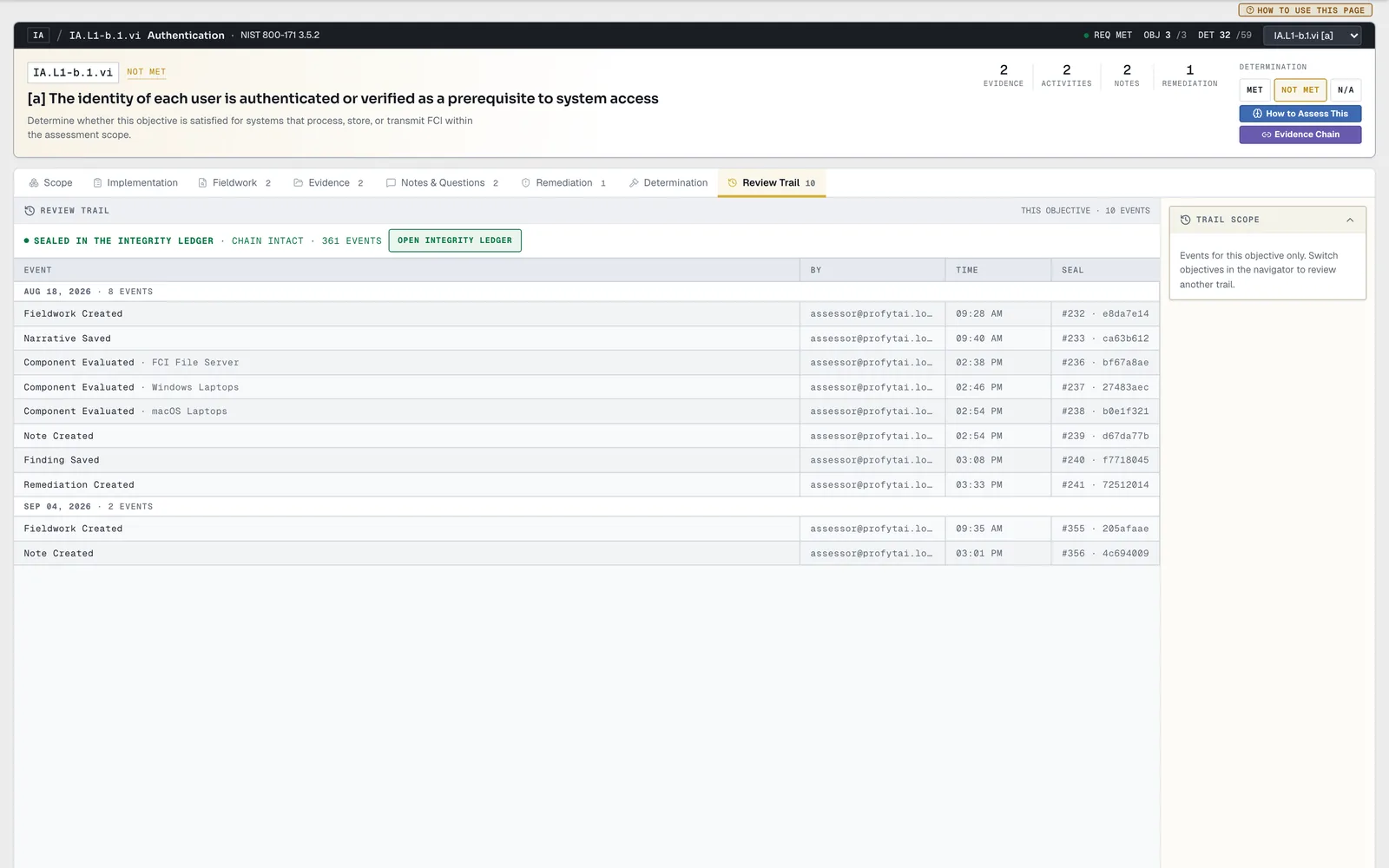
Every meaningful action on the objective is recorded and sealed here, and linked to the Integrity Ledger. You and an assessor see exactly what was decided, by whom, and when.
When your affirming official asks who decided this and when, the answer is already sealed.
Thirty-five steps. Define scope, ask the Scope Advisor, work an objective from fieldwork to determination, and watch every decision land in the Integrity Ledger.
Five purpose-built parts keep the boundary, proof, decisions, history, and final handoff connected in one Level 1 assessment.
Define
01
Record every person, system, facility, and provider inside the FCI boundary.
4 Scope Object Types
Collect
02
Keep uploaded proof versioned, content-hashed, and ready to link wherever it applies.
Versioned + SHA-256
Decide
03
Hold the examination, evidence, notes, and human determination in one working record.
59 Objectives
Seal
04
Preserve what was decided, who decided it, and when it happened in an append-only chain.
Row Seal + Prev Seal
Hand Off
05
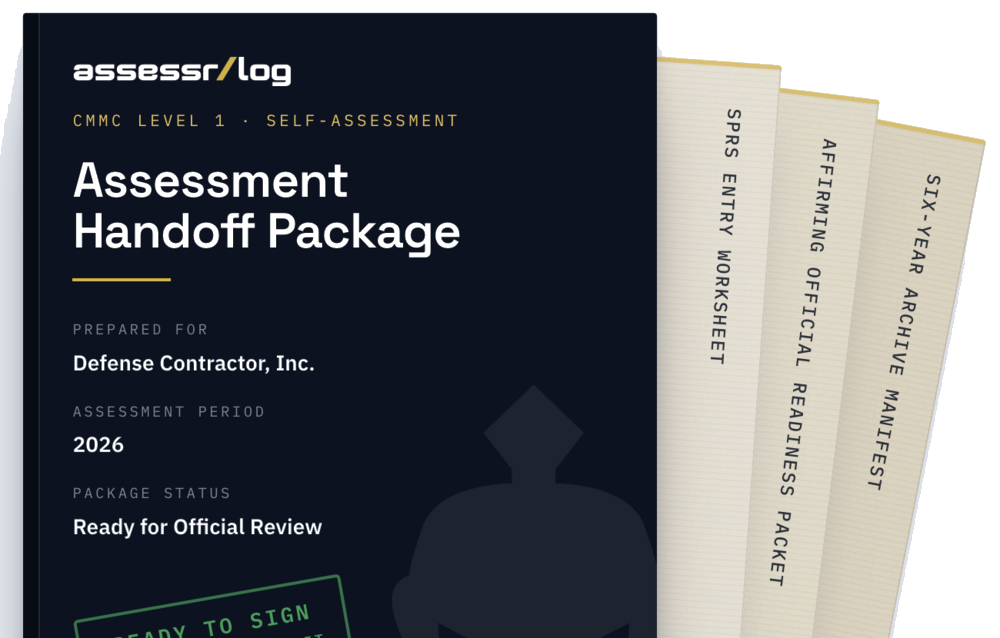
Prepare the worksheets and retained record the affirming official needs for review.
Manual SPRS Entry
One Connected Level 1 Assessment Record
Every surface in AssessrLog, grouped by where it fits in the Level 1 lifecycle. From scoping FCI to the affirmation package, nothing lives in a separate tool.
FCI Scope
The people, systems, facilities, and providers that touch FCI.
Scope Advisor
AI advisories grounded in your own material. You decide.
Implementation Registry
Reusable controls linked to the objectives they support.
Guided Baseline
A setup pass that prefills scope and all fifteen practices.
Command Center
The readiness board: gauge, work queue, and Readiness Path.
Assessment Workbench
Fieldwork, evidence, notes, and determinations per objective.
Evidence Vault
Store, version, and link the evidence behind each objective.
Evidence Requests
Ask a teammate for an artifact and track it to Accepted.
Integrity Ledger
The tamper-evident record of every decision, verifiable.
Revalidation Queue
Findings flagged when something they relied on changes.
SPRS & Affirmation
The readiness gate, SPRS worksheet, and official workflow.
Retention Archive
Finalized cycles kept for six years while your subscription is active, with a manifest.
Annual Rollover
Freeze the cycle, carry records forward, read the delta.
Recurring Workflows
Routines that keep controls current between cycles.
Members & Roles
Four roles with clear permissions, enforced on the server.
Multiple Assessments
Create and switch assessments, each kept fully separate.
Account Security
Passwords and multi-factor authentication for your account.
Template Library
Plain-language guidance and templates for every practice.
AssessrLog would. The requirement catalog behind your assessment is versioned and checksummed, pinned to FAR 52.204-21 and the DoD CMMC Level 1 Assessment Guide.
Sealed Against an Edition.
Every decision shows which edition of the rule it was sealed against.
Flagged With the Exact Reason.
Superseded evidence and expiring reviews are flagged as you work, and a source check compares the catalog against the source material itself.
Never a Silent Change.
Nothing changes your assessment catalog without human review.
No combing through eCFR. No hunting for a newer assessment guide. No working from outdated requirements.
Straight, grounded answers to the ones that come up while you evaluate. The full set lives in the FAQ.
See All AnswersNo. The Scope Advisor only ever raises a cited advisory. A person accepts or dismisses each one, and every determination stays yours.
Read the Full AnswerA hard ceiling. Every upload takes an FCI-only attestation, and the classification field will not accept CUI.
Read the Full AnswerAssessrLog assembles the package. It never submits and never affirms. Your official enters it in SPRS.
Read the Full AnswerStart today. Log a few items. By the time your affirmation is due, the work is behind you and the record is ready to sign.